

Digitized collections from our archives and links to exhibits and resources to assist researchers, students, educators, and citizens. Please note that some of these links will open external websites such as CONTENTdm, Flickr, and YouTube.
The descriptions of our collections are available via the Delaware Public Archives Portal. Visit the Search Our Collections webpage to learn more.
We are dedicated to continuously reviewing and enhancing our descriptive practices to incorporate more respectful and inclusive terminology when possible. Please see our Harmful Content Advisory for more about these efforts.

Abram Draper Personal Correspondence: The Abram H. Draper Collection consists of 34 pieces of correspondence, including letters and poetry from Sergeant Abram H. Draper to his wife Anna M. Wiley Draper during the American Civil War.
Capital School District, Administration, School Records: This collection includes two documents donated by a former superintendent of Capital School District, W. B. Thornburgh. One is a report on the move to Booker T. Washington; another details the proceedings of the 1914 meeting of school voters in Kent County.
Clara Dashiell Collection: Primarily a collection of ephemera, this collection includes invitations to the 1876 West Point Independence Day celebration and hop, dinner at New Mansion, a grand ball given by the Citizens of Dover, a Georgetown social hop, and a series of hops hosted at the State Fair at Dover through the State Board of Agriculture.
Coroner’s Report: A record of a county coroner’s investigations into the manner and cause of a death where a person died under circumstances that were violent, unnatural, or unknown.
Cowgill Collection: This collection documents the Cowgill family and the Colored School in Little Creek. This collection consists of two series: Colored School and Cowgill Accounts.
Delaware Constitutions: Delaware constitutions created by the Delaware Constitutional Conventions in 1792, 1831, and 1897. The 1897 Constitution is the current governing document for Delaware.
Delaware Turnpike Scrapbooks: The scrapbooks consist of newspaper clippings and photographs that document Delaware Turnpike activities and events. Notable subjects include the construction of the highway, President John F. Kennedy’s participation in the dedication ceremony, maps, Turnpike appointments, tolls, Mason and Dixon boundary marker, JFK memorial wreath and services, accidents, Hot Shoppes service plaza, effects on Route 40 businesses, Turnpike officials and employees, I-95 construction completion, public safety, and Turnpike expansion. The Scrapbooks were compiled by Turnpike staff.
Department of Agriculture, State Forestry Department, Woodland Management Service Records: This series is comprised of a single report, the Forestry Planting Report. The report consists of several single-page reports on the condition of trees planted by the State Forest Service along highways and on state and private property. Some planting sites include Coleman du Pont Road, the United States Navy Henlopen Station, state forests, the Equitable Building, the Brandywine Sanatorium, Hartly Public School, and Stockley.
Dodd and Hammond Collection: This subcollection consists of two series: Personal Papers and Postcards. The documents are related to the Hammond family, who once owned a candy store in Milford, Delaware. The postcards include Delaware scenes, holidays, World Wars I and II, and others.
Duncan Collection: This subcollection consists of three series: Invitations, Justice of the Peace Docket, and Nora Neal Papers.
Eckles Papers, Civil War Correspondence: A letter from James N. Eckles to Captain Dunning. James N. Eckles served in the first Delaware Calvary unit as a private during the Civil War.
Edmund Steiner Collection: This collection is primarily composed of correspondence sent to Edmund Steiner during his time of service as the president of the Milford School Board.
George and Irene Caley Postcard Collection: George Luther Caley was a well-known genealogist, author, local historian, and avid postcard collector. This is one of our most popular collections.
George Hansell Collection: This collection focuses on George Stevenson, Esquire, and his son, Dr. George Stevenson. After George Stevenson, Esquire’s death in 1783, his son managed the family accounts and properties. This collection is largely composed of survey warrants, land surveys, and memorandums of land.
Gruwell Collection, Family Papers: This collection comprises historical records of the Gruwell family, originating from their Lowber lineage dating back to the early 1600s. Key documents include a detailed account of a cherished family clock, tracing its passage through generations from Michael Lowber’s immigration to Kent County, Delaware, down to its sale at Letitia Lowber Cooper’s estate.
Harold W. Lang Papers, Sheet Music and Graphics: A collection of sheet music that relates to Delaware in the title, composer, publisher, distributor, and/or retailer. The music covers a wide range of genres and subjects.
Insurance Evaluation Reports: A comprehensive list of state owned buildings in 1941. The reports were created to serve as a guide in determining the amount of insurance to be carried.
Irons Family Papers, Steamboat Frederica: A collection of manifests and receipts for the Steamboat (Steamer) Frederica.
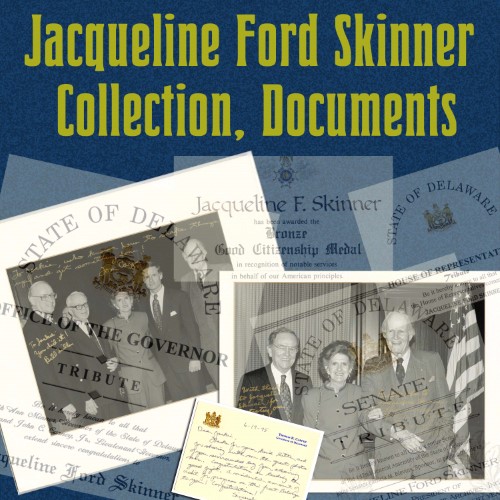
New – Jacqueline Ford Skinner Collection, Documents: This collection includes photographs and documents honoring Jacqueline Ford Skinner for raising public and political awareness of the need for a safer and larger archive building.
Jonathan L. French Collection, Papers: This collection includes five documents relating to Civil War veteran Jonathan L. French’s service to his country and his and his descendants’ involvement in patriotic organizations.
Legislative Papers: Explore the General Assembly, Legislative Papers Collection, digitized with funding from the National Historical Publications and Records Commission. The collection consists of manuscript records reflecting the functions and activities of the General Assembly between 1724 and 1913.
Macklin Collection, Papers: This collection contains receipts received for various goods and services purchased by Curtis Macklin.
Martin Severe Collection, First State Covers: A collection of first-day covers celebrating different points in Delaware’s history. The collection’s most significant focus is the discovery and founding of New Sweden.
Naturalizations, Kent County: Original records of those wishing to become naturalized citizens of the United States.
Naturalizations, New Castle County: New Castle County Naturalizations Original petitions and other legal documents of immigrants wishing to become American citizens. The date listed in the title reflects the year of the file and may vary from the document displayed. The file for each individual may contain more documentation.
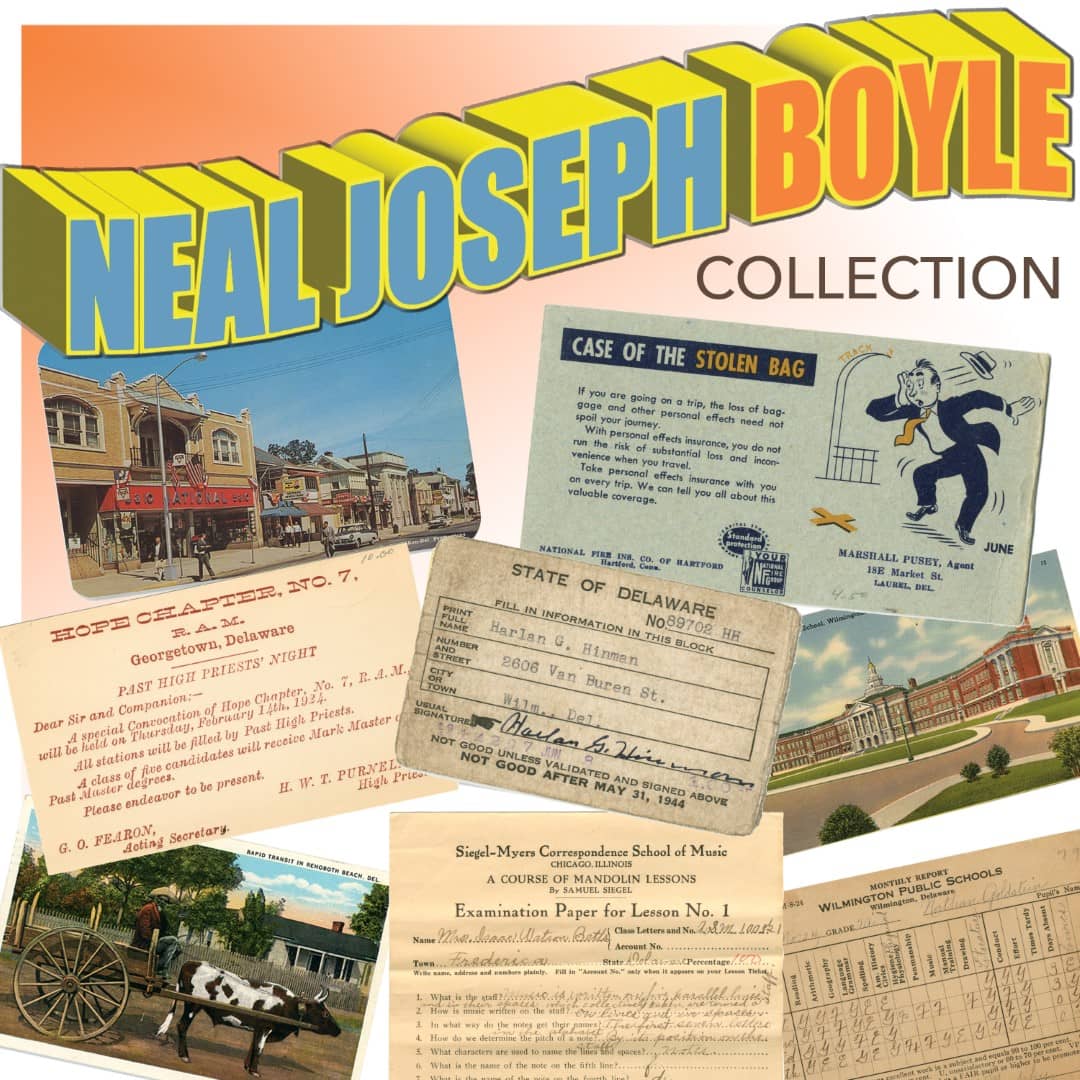
New – Neal Joseph Boyle Collection, Documents: Neal Joseph Boyle was an avid collector of paper ephemera, specializing in postcards. This collection consists of two series: Postcards and Records.
Ogle House Papers: This series comprises legal agreements, correspondence, property surveys, and postcards documenting the lives and activities of the Ogle family, primarily centered in Delaware City, Delaware.
Pamphlet Collection – Legislative Rosters: Annual rosters created by the Delaware State Chamber of Commerce that provide names and addresses of the Delaware General Assembly, the Congressional delegation, and state and local government leaders. Also included are introductions to State Chamber lobbyists, listings of Senate and House committees and their members, district maps, and voter registration information. Rosters are typically updated every other year following elections. Legislative Rosters are a part of the Delaware Public Archives Pamphlet Collection.
Pauper Books, Kent County: The Kent County Paupers Books are registers of the sick and poor inmates of the county almshouse 1811 to 1933. Most of the books were done annually and arranged by hundred or district. For each hundred there are separate lists by gender and race. The Pauper Books include the name of the inmate, dates admitted and discharged, age, sex, race, disease or reason for admission, date of death, and birth date for infants born in the almshouse.
Peninsular News and Advertiser: The Peninsular News and Advertiser was a weekly Milford newspaper. The collection includes original newspapers from April 1857 to May 1859, January 1872 to December 1872, and January 1893 to December 1893. The newspaper contains a large assortment of advertisements, local and national news, and miscellaneous literature and articles. Nearly every weekly newspaper has a dedicated section for agricultural news and advertising, as well as a political news page. Issues for 1873 – 1874, 1880 – 1882, 1886-1887, and 1889 are on microfilm.
Peter Caverly Collection, Correspondence: This is a collection of letters written to Representative Peter Caverly between 1813 and 1814.
Philemon C. Carter Collection: This collection includes Captain Carter’s official appointment to captain, the 1862 muster-out roll for Company H, military correspondence, broadsides and circulars for collecting military claims, a discharge certificate for George Jarvis, a special requisition for blankets, a statement of discharge and compensation for Captain Carter, and the constitution and bylaws agreed upon by the Kent County residents that made up the “Home Guards.”
Post Card Collection: The Delaware Public Archives’ general postcard collection. A majority of the collection was created by the Delaware State Museums and transferred to the Archives in 1992-1993. Many new accessions have been added to it.
Record of Delawareans Who Died in World War II: This series consists of compiled service records collected for use in the World War II memorial at the Delaware Memorial Bridge and the Delaware Memorial Volume. A basic form was filled out by family members describing the soldier’s military training, service history, cause of death/injury, and basic family information.
Reference Reels Collection – Diary of Cyrus Forwood: On May 11th, 1861, Delawarean Cyrus Forwood volunteered for three months of service in the Union Army. These are the day-by-day notes and observations he wrote in his diary during his time as a soldier. The diary provides insights into the life of a Delaware soldier in the Civil War.
Register of Births and Deaths in the Almshouse, Kent County: Spanning 1851 to 1901, this register lists the names of those born and those who died in the Kent County Almshouse. Birth entries name the newborn, the mother, and the newborn’s date of birth. Death entries are arranged by gender, race, and place of residence and note the date of death, age, and occasionally a remark about the cause of death.
Reverend Joseph Brown Turner Collection: Reverend Turner’s Collection of genealogical notes and correspondence concerning about three thousand Delmarva Peninsula families.
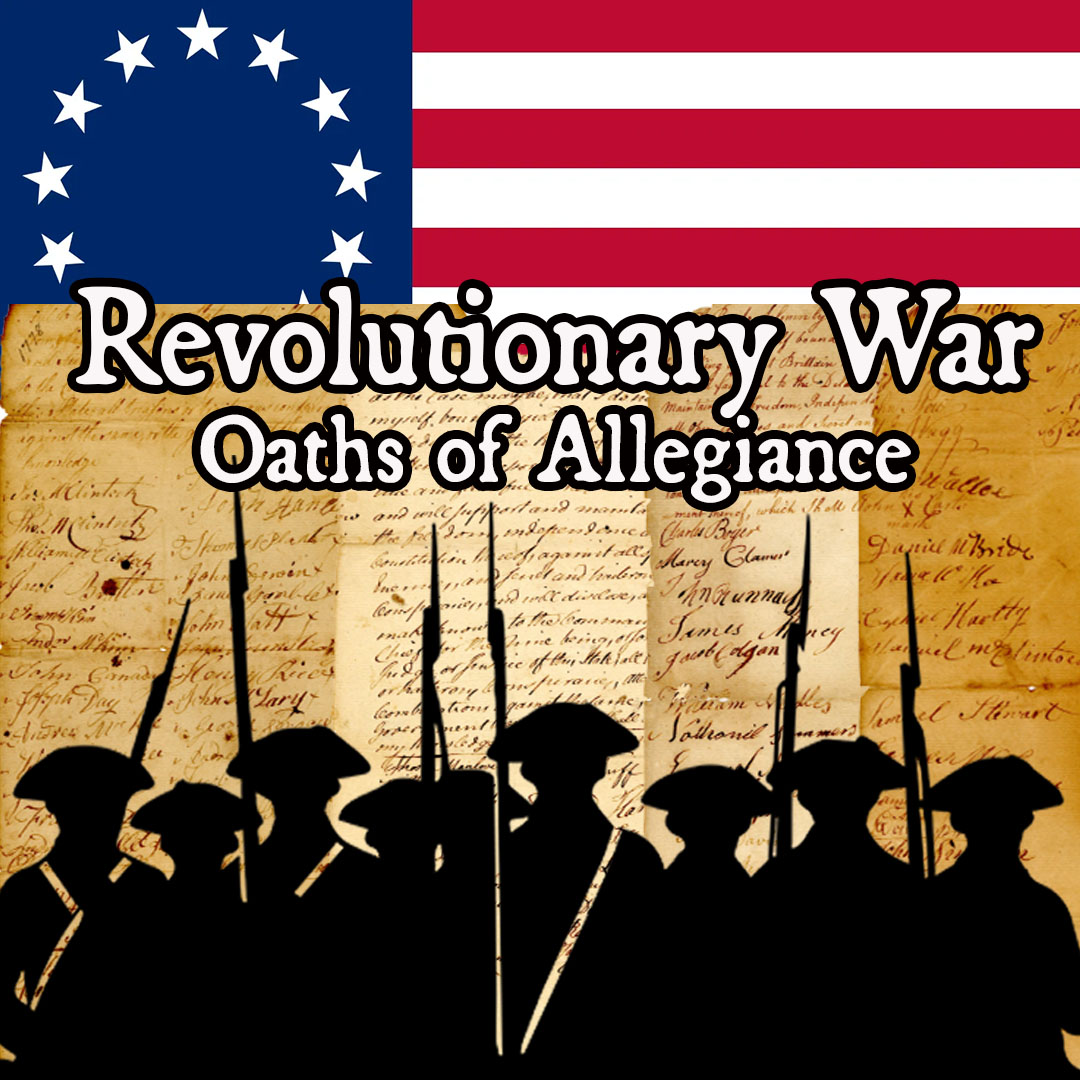
Revolutionary War Oaths of Allegiance: Oaths of Allegiance or declarations of fidelity were sworn to the new nation or to the State of Delaware as required by state legislation in 1778. Shown on these documents are the oath taken, name of the person sworn before, date of swearing, and signature of the person taking the oath. Included are the oaths of New Jersey residents administered by Caesar Rodney at Trenton (Feb. 1777) and a transcript of the legislation requiring the oaths.
Richard H. Bailey Collection: Delawarean Richard H. Bailey is an award-winning sculptor. This collection consists of three series: Professional Papers, Exhibit Fliers and Advertisements, and Photographs.
Richard Sund Collection: A letter from Lance Corporal Larry Leonard to a student, Richard Sund. Lance Corporal Leonard was serving in Vietnam when he responded to the student’s letter.
Richardson Family Letters: This collection of letters from Alden B. Richardson III to his father, William P. Richardson, details daily life after Alden enters the army during World War II. This collection also contains V-Letters, Alden’s life insurance information, postcards, change of address information, telegrams, a receipt for a war savings bond, and photographs.
New – Sarah Williams Collection, Ephemera: This small collection of objects and documents includes some ephemera from Dover High School, donated by Sarah Williams.
State Map Collection: The State Map Collection includes several dated and undated maps of areas in Delaware, Pennsylvania, Maryland, Virginia, and other surrounding areas. Some maps are of Delaware Bay, the Chesapeake and Delaware Canal, military forts, and major cities. This collection includes the Beers’ Atlas from 1868.
State Reports Collection: This is a comprehensive but by no means a complete collection of works published by all agencies, municipalities, and schools within Delaware. A 2014 update to the Delaware Code relating to the Freedom of Information Act resulted in the creation of the Annual Reports from State Agencies collection. There is some overlap between the two collections.
Vietnam Mailbag Records: The Vietnam Mailbag is a collection of correspondence, newspaper clippings, and photographs compiled by Nancy E. Lynch for her “Vietnam Mailbag” column in the Wilmington Morning News. Correspondence includes nearly nine hundred letters from Delaware soldiers in Vietnam, describing their viewpoints on the war, life in Vietnam, and the home front. These records were used in Lynch’s book, Vietnam Mailbag: Voices from the War, 1968-1972.
William B. Walton Collection: This subcollection consists of three series relating to the Walton family, who came to Delaware in 1854. The series containing documents are Family Papers (001) and Genealogies (003).
William C. Jason Collection: Papers and letters relating to Reverend William C. Jason, minister for the Delaware Episcopal Methodist Church Conference for twelve years, first black president for Delaware State College (D.1895) for twenty-eight years, father, and husband to Madora Bailey.
William Tharp Papers, Correspondence: This series predominantly consists of letters, approximately half of which are addressed to William Tharp, the 36th Governor of Delaware, during his lifetime.
World War II Records: An assortment of materials related to Delaware’s participation in wartime activities, used as working papers for the publication Delaware’s Role in WWII. Included is a scrapbook with documents collected by the Frankford Colored School in Frankford, Delaware, from 1939 to 1945.
Board of Education Photograph Collection: Prints and negatives from the Board of Education capturing images of school construction, activities, and events. The photographs in this collection document existing and former school buildings, new school construction, and school activities, including Track and Field, May Day, Future Homemakers of America (FHA), New Homemakers of America (NHA), and Drivers Education, among others. There are images from the 1928 Apple Blossom Festival parade in Dover, capturing rare scenes from the intersection of State St, King’s Highway, and Loockerman St.
Central Delaware Chamber of Commerce Collection: The collection includes photographs of the Port Mahon Lighthouse, Reedy Island Lighthouse, and families from the Port Mahon area.
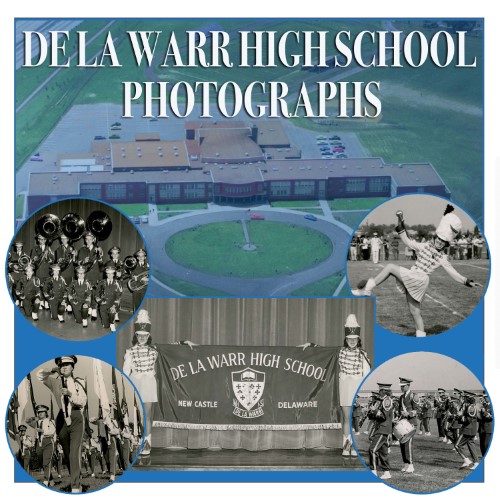
NEW – De La Warr High School Collection, Photographs: This is a collection of band and choir photographs assumed to be taken for the De La Warr High School yearbooks from 1960 – 1978.
Delaware in WWII Photograph Collection: Governor Walter W. Bacon authorized the Public Archives Commission to collect historical materials that would document Delaware’s participation in World War II. The photographs obtained document the military bases, servicemen, National Guard activities, and various civilian war efforts.
Delaware Public Archives Photograph Collection – Cities & Towns: The Cities and Towns category of the Delaware Public Archives General Photograph Collection consists of 333 photographs of various cities and towns in Delaware. Several of the photos are from the nineteenth century, but a majority were taken during the twentieth century.
Delaware’s Role in WWII Photograph Collection: Photographs collected for use in the book, Delaware’s Role in World War II, written by William H. Conner and Leon deValinger, Jr. It was published by the Public Archives Commission in 1955. The photos include views of the Delaware National Guard, military bases in the state, Delaware servicemen and servicewomen in various theaters of war, and civilian efforts on the home front. These civilian activities include civilian defense, war bond drives, agricultural and industrial production, and selective service. There are three folders of photos not published in the book.
Department of Transportation Photographs: This series documents the improvement of Delaware’s highway system through views of early construction methods and equipment, the construction of the DuPont Highway, before and after views of locations, accidents, road signs, early road conditions, beautification efforts, snow removal, early bridges, and flood damage. The entire collection has over 6,000 images; only select photos have been digitized.
Fort Delaware, Fort DuPont, and Fort Mott Glass Negative Collection: Photographs from the U.S. Corps of Engineers of construction work at Fort Delaware, Fort DuPont, and Fort Mott, New Jersey, before and during the Spanish-American War.
Frank R. Zebley Photograph Collections, Along the Brandywine Photograph Collection: Photographic prints and negatives taken by Frank R. Zebley to illustrate his book Along the Brandywine, published in 1940. Only a fraction of the photographs taken were used as illustrations in the book, yet for nearly every landmark mentioned in the text, there is an accompanying photograph. These unpublished views of the Brandywine comprise the bulk of the Frank R. Zebley Photograph Collections.
Frank R. Zebley Photograph Collections, Churches of Delaware Photograph Collection: Photographic prints and negatives taken by Frank R. Zebley for his book Churches of Delaware, published in 1947. Mr. Zebley was a Wilmington building contractor and State Representative, where he served for a time as Speaker of the House. Most of the photos in this collection do not appear in the published book.
George Fisher Collection: This series of unidentified portraits includes various mounted prints, including carte-de-visites and cabinet cards.
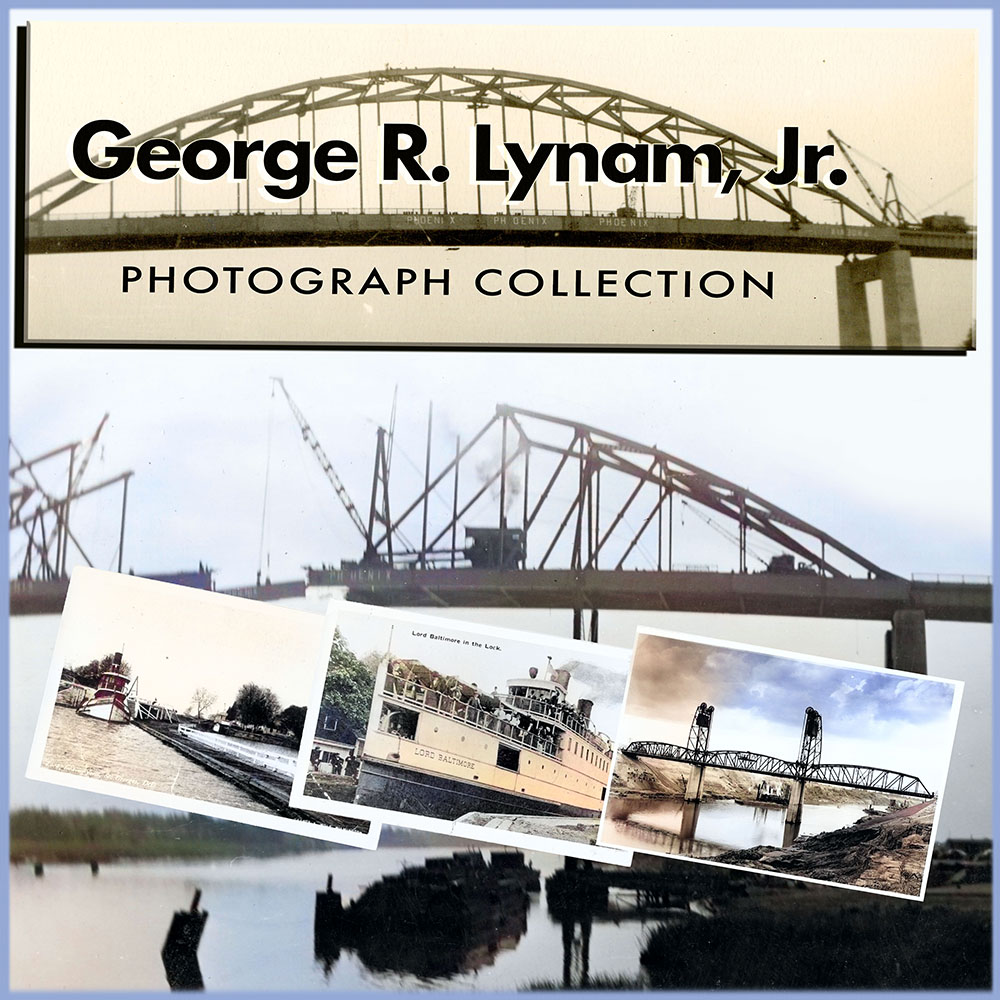
NEW – George R. Lynam, Jr. Collection: This series, primarily created by George R. Lynam Jr., consists of photographs and two postcards documenting the Chesapeake and Delaware Canal, with a focus on the locks, bridges, construction activities, and usage of the canal, particularly in the St. Georges, Delaware area, leading up to the completion of the St. George’s Bridge.
H. Fletcher Brown Vocational High School Collection: This subcollection consists of records relating to H. Fletcher Brown Vocational High School in Wilmington, Delaware, which was active from 1938 to 1969, and H. Fletcher Brown Park, which was built following the school’s demolition.
Harold W. T. Purnell Photograph Collection: This General Photograph Collection contains representations of a wide range of subjects and time periods that give an excellent view of Sussex County life. The entire collection has approximately 14,000 images and dates from about 1860 through 1963; only select photos have been digitized.
Historical and Cultural Affairs Photographs: Various photographs collected by the State Museum. Only the thirteen photographs of Civil War soldiers are digitized.
Jackson and Sharp Collection, Photographs: The Jackson and Sharp Company was founded in January 1863 by Job H. Jackson and Jacob F. Sharpe to manufacture railroad cars. The company soon became one of the leading employers in Wilmington and one of the leading car manufacturers in the world. The entire collection is approximately 35 cubic feet; only select photos have been digitized.
NEW – Leitner Family Photograph Collection: Fredonia (Fidonia) H. Leitner was born on August 8, 1876, in Brunswick, Georgia. Born as Nanny Fredonia Hall, Fidonia went by Anna until 1920, when she became an artist alongside her husband, Leander Leitner. This series features photographs and photographic postcards, primarily focusing on pageants created by Fidonia H. Leitner. Many images show scenes and costumes from the Pageant of Peace and the Pageant of Education.
Meyer Keilson Photograph Collection: Keilson was an architect who specialized in stage and motion picture theater design. He took photos of street scenes, historic and public buildings, houses, transportation, and historic markers throughout Delaware during his travels.
Project Delaware Slide Collection: A series of 1420 aerial view color slides documenting the state in 1970.
Richard H. Bailey Collection, Photographs: Delawarean Richard H. Bailey is an award-winning sculptor. This collection consists of three series: Professional Papers, Exhibit Fliers and Advertisements, and Photographs.
Sackett Family, Portraits: The Sacketts were a farming family from the Milton area. This collection contains portraits of Ms. Lillian Sackett’s family; most family members are unidentified.
State Board of Agriculture Glass Negative Collection: The State Board of Agriculture was responsible for the protection and promotion of agriculture in the state. The Board’s staff photographer, Roydon L. Hammond, traveled throughout the state and photographed local scenes, buildings, and agricultural subjects, many of which were later used in promotional publications.
Wicks Family Collection, Photographs: This early twentieth-century photograph collection includes 17 photos of various scenes of Delaware and Maryland.
William B. Walton Collection, Photographs: This collection consists of photographs from several families related to the Walton family, along with the Walton store and house, a P.S. DuPont High School graduating class group portrait, and more.
Wilmington Railway Collection: The Delaware Transportation Collection Photographs consists of eighty-two photographs of trolleys and locomotives in the Wilmington area. Most of the photos are of trolley cars, either on area streets, at the car barn, or at the car garage.
Woodside Glass Negative Collection: Subjects include the train station, a steam train at the station, street scenes, Woodside Methodist Church and the Elizabeth Jarrell store, boating on Derby Pond, baptisms at Derby Pond, women gathering water lilies, a tomato canning factory and a view of the Viola train station.
Becoming the First State – Delaware’s Road to Ratification: This exhibit was created to highlight selected documents related to Delaware’s ratification of the United States Constitution in 1787.
Civil War: A Sesquicentennial Commemoration of the Great State of Delaware in the American Civil War: Explore the history of Delawareans during the American Civil War through photographs, diaries, letters, service records, legislation, newspapers, and more.
New – Delaware Beach Rewind: This booklet highlights eight of Delaware’s beach and resort communities — places that welcomed generations of visitors along the Delaware Bay and inland waterways. While many have changed over time, their stories remain woven into the state’s history through boardwalks, hotels, amusement parks, fishing piers, and family traditions. Together, these destinations offer a glimpse into the evolution of Delaware’s coastal communities.
Delaware’s Historic Houses of Worship: An online exhibit featuring a historic houses of worship in Delaware, complete with a link to a photo gallery.
Delaware: Then and Now Gallery: Photographs that compare Delaware locations from different eras. Completed with assistance from the Lion’s Club.
Dover Air Force Base: The Early Years: An online exhibit of selected photographs from the early years, available on Flickr and with more resources on CONTENTdm.
Examining the 17th Century Through the Documents of the Delaware Public Archives: This exhibit has images of some of the most important and interesting documents in our holdings from the seventeenth century. These range from the state charter and related leases and deed giving Delaware to William Penn, to humorous notations in an early court docket to lists of early settlers. Transcriptions accompany some of the documents.
First Naturalized Hispanic Settlers in Delaware: An exhibit tracing the records of the first Hispanic settlers in Delaware, that starts with naturalization records housed in the Delaware Public Archives. We trace three settlers from naturalization, marriage, census, death records.
Haunted Delaware: This exhibit features photos and stories about structures such as Fort Delaware, Rockford Mansion, and the Addy-Sea Inn, as well as locations like Lums State Park, Cooch’s Bridge, and Scott’s Run Bridge.
Roots of Renewal: The Civilian Conservation Corps in Delaware: This booklet features historical information and photographs from a digital exhibit highlighting the CCC’s work in Delaware, its lasting impact, and the contributions of African American enrollees.
Slavery Papers: This exhibit consists of selected manumission papers, birth records, petitions for freedom, and a bill of sale for enslaved African-Americans in Delaware.
State of Delaware Historical Markers Program: An online exhibit featuring markers from the State of Delaware Historical Markers Program, which began in 1931. This exhibit contains a page for each marker, with links to resources here at the Archives and external resources. A map and link to a photo gallery is included for each marker. This is updated weekly.
Storm of 1962: Photographs from one of the most destructive storms in the First State’s recorded history.
Tracing Your African American Roots in Delaware: This exhibit features eBooks, documents, photographs, and audio about early African American life in Delaware.
War of 1812: A Commemoration of the Great State of Delaware’s Role in the War of 1812: This exhibit includes eBooks, military reports, documents, and correspondence from Capt. Macdonough to Major Thomas Stockton and General John Stockton.
A Chronological Guide to Records of the Delaware State Legislature: This guide will assist researchers in finding legislative records.
Civil List: This is a staff reference database for elected and appointed offices that patrons may find useful. This is in no way comprehensive. Information is added to this database periodically.
Guide to African American Records: This guide outlines some of the collections and books that can be used to research African American history in Delaware.
Guide to Census Records: Delaware’s United States census material offers a wealth of information to a researcher. Genealogists find census records particularly useful for tracing family lines or histories in the state. Historians find them useful for local history information. Social scientists find them useful for demographics, ethnic studies, etc.
Guide to Delaware and Pennsylvania Tract Names in Maryland Patent Records (1672-1792): This table is an index to the Maryland State Archives Land Office (Patent Records), SM2 collection.
Guide to DPA Civil War Records: This guide contain links to various collections and record types in our holdings, with a list of the material they have concerning the Civil War.
Guide to Orphans’ Court Records: You can search these Orphans’ Court records by keyword and see the results in real-time. They are broken down by County and into Parent and Child Lists.
Guide to Private Vital Statistics, Tombstone and Cemetery Records: This index card collection spans circa 1700 – 1991 and is arranged alphabetically by the name of the cemetery, or the name of the family responsible for the cemetery if known. Cards show the name(s) of the deceased, the name and location of the cemetery, and the page number.
Guide to Revolutionary War Records: This guide outlines the scope of the Revolutionary War holdings at the Delaware Public Archives.
Guide to Vital Statistics Records (Births, Marriages, and Deaths): The Delaware Public Archives provides many valuable resources for researching vital statistics records. Without such information, a person may not be able to locate a birth certificate to obtain a passport or fill in that last missing link in his or her family tree.
Guide to World War I Records: This guide highlights the collections in the Delaware Public Archives that contain records pertaining to World War I.
Guide to World War II Records: This guide highlights the collections in the Delaware Public Archives that contain records pertaining to World War II.
The Honorable Joseph R. “Joe” Biden Subject Guide: This guide outlines the collections and items in the Delaware Public Archives that pertain to President Biden.
Index to 1500-008-001, Marriage Records (1855-1934): This list is an index for the Department of Health and Social Services, Vital Statistics, Marriage Records collection. The records were maintained by the Bureau of Vital Statistics and its predecessors from 1855 to 1934, and the indices were created by DPA. Brides and grooms are indexed separately.
Index to 1500-008-003, Death Records (1855-1910): This guide – part list, part index cards – indexes the Department of Health and Social Services, Vital Statistics, Death Records collection. The records were maintained by the Bureau of Vital Statistics and its predecessors from 1855 to 1910, and the indices were created by DPA.
Newspaper Abstracts and Index – Births, Deaths, Marriages (1789-1850): Transcriptions of birth, death, and marriage newspaper abstracts from the following newspapers: Delaware Gazette; The Faithful Centinel; The Delaware Gazette, and General Advertiser; Delaware and Eastern Shore Advertiser; The Monitor, & Wilmington Repository; The Federal Ark; The Museum of Delaware; The Delaware Statesman; American Watchman; and The Wilmingtonian. The abstracts were transcribed and indexed by DPA.
Ancestry: The Delaware Public Archives partners with Ancestry.com to provide free access to State of Delaware residents, allowing you to explore the fully digitized collections below. Access to these records does require an Ancestry.com account, which is also free.
Archived Websites: Archive-It archives the webpages of many State of Delaware agencies and municipalities.
Delaware Library Catalog: The books, published volumes, and periodicals in the holdings of the Delaware Public Archives (DPA) are now indexed in the Delaware Library Catalog. This online resource allows users to search through the collections of many different Delaware libraries and research facilities at once.
DPA on CONTENTdm: CONTENTdm is a cloud-based repository of digital collections through the Online Computer Library Center (OCLC). The Delaware Public Archives is one of the institutions belonging to The Delaware Collections; material is uploaded as often as possible, with specific collection links provided on the Archives website.
eBooks: Titles from our DE Heritage Collection in PDF format.
Executive Orders: A complete collection of executive orders issued by Governors of Delaware, from the first order signed by Governor McMullen in 1939, to Governor Hall-Long.
Educator Resources: The Delaware Public Archives has resources for Delaware teachers to use in their classrooms. Sponsored by the Friends of the Delaware Archives, this project provides teachers with ready-to-use, standards-based lessons and resources that engage students with a range of primary and secondary sources.
Delaware 250 Resources: Resources from the Delaware Public Archives supporting the commemoration of the 250th anniversary of the United States.
Supply Tax: These links to the Sons of the American Revolution(SAR) and Daughters of the American Revolution(DAR) websites provide information on how to utilize the collections at the Delaware Public Archives to demonstrate patriotic service for membership in their respective organizations
Town and City Histories: Comprehensive histories of the governance and management of Delaware’s municipalities. These summaries are updated continually.
Accessions: The Delaware Public Archives receives new accessions regularly. This page highlights some of the more interesting items received.
Records Availability: A few words about the availability of records at the Delaware Public Archives.
Requesting Records: Please read the following information before placing your request, as it will provide information to help you form your inquiries for better results. Information here includes Fees, Information about Vital Statistic Requests, Photograph Requests, and Microfilm Requests.
Public Forms: This page contains links to research forms and the Volunteer and Internship Application Form.
Visiting the DPA: Helpful information when planning a trip to the Mabel Lloyd Ridgely Research Room.
Delaware's Governor
State Directory
Elected Officials
General Assembly
Delaware Courts
State Employees
Cities & Towns
Delaware State Code
State Regulations
Business First Steps
Phone Directory
Locations Directory
Delaware Public Meetings
Voting & Elections
Transparency
Choose Health DE
Tax Center
Personal Income Tax
Privacy Policy
Weather & Travel
Contact State Agencies
Corporations
Franchise Tax
Gross Receipts Tax
Withholding Tax
Guides to Services
Help Center
Mobile Apps
E-mail / Text Alerts
Social Media


Built by the Government Information Center
©MMXXVI Delaware.gov